


This point deform procedural was inspired by a blog post by Marcel Ruegenberg and was designed for my
final year university film. In his post "Hacking Houdini Solaris Procedurals" he goes into explaining
what procedurals are, and the theory behind how they are made.
Houdini procedurals are compiled scene graphs that can be ran at render time to manipulate, create or
destroy geometry during the render itself. The advantage of something like this, and the main purpose
of this procedural in particular, is saving disk space. The standard pipeline for point deformed animation
is to take the mesh and deform it by curves, and save each frame of that out to disk, the issue with that
is that for every frame of animation, you are saving out the full geometry again and again. As an example,
if you are working with a forest, you could be looking at hundreds of gigabytes per frame. The point deform
procedural is a wrapper for the sop level point deform node, taking a static meshs, static curves and
animated curves, and deforming the mesh by the curves at render time, and eliminates the need to save
any deformed geometry to disk.
The first step in creating the point deform procedural was to setup the node graph that I will then be converting
into the procedural. The first thought that I had was to just use the point deform node itself, which I think might
work as of the current version of houdini, however as you can see here I ended up not using that.
Instead what I decided was to strip down the point deform node into only the elements that I needed from it to
capture and deform the geometry. The reason for this is because I found that using relative and channel references
inside of a procedural doesn't work. This is (I believe) because at render time, nodes don't actually exist. So
when you are referencing nodes from within that compiled graph, Husk doesn't know where to grab the value from and
ends up not working.
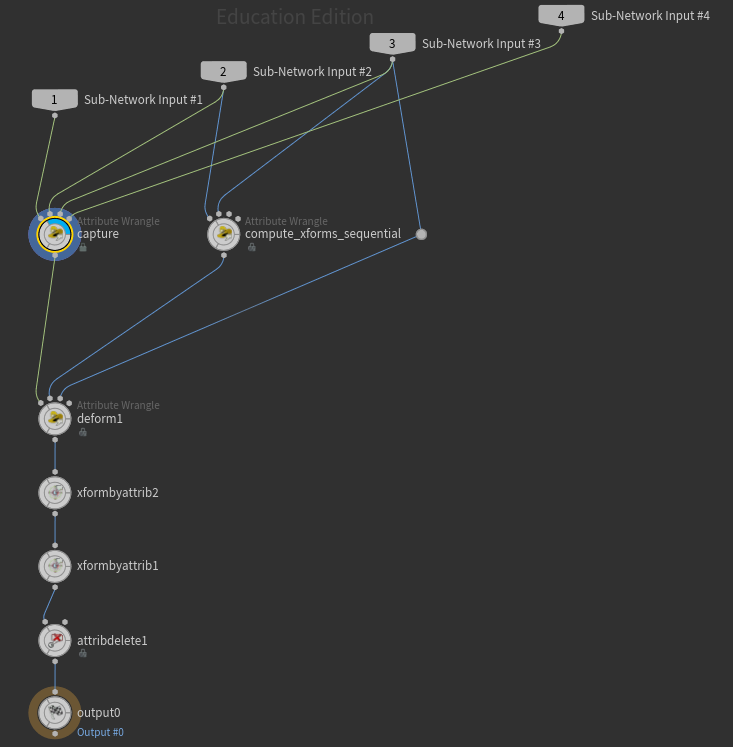
The next thing is to take that node graph from before and convert it into geometry using the attribute from parameters
node. This node, when set to "points from subnetwork" acts very similarly to how apex rigging seems to work inside of
Houdini, converting the node graph into geometry, where each point is representative of a node, and holds all the data
about that node, parameters and their equivalent values and such.
We do this so that you can save out the compiled graph to disk as a .bgeo.sc. This then gets ran through python inside
of solaris, which in turn sets up the procedural to run this compiled node graph during the rendering process. This works
because unlike having a nodes themselves, which don't exist at render time, you're just running through a list of dictionaries
essentially, and using that to modify the current geometry. You can actually do the same thing with using the invoke graph
SOP inside of Houdini to run a .bgeo.sc file on the input geometry and the output will be the result will be the same as if
you had just ran the compiled node graph as nodes directly after the input geometry node.
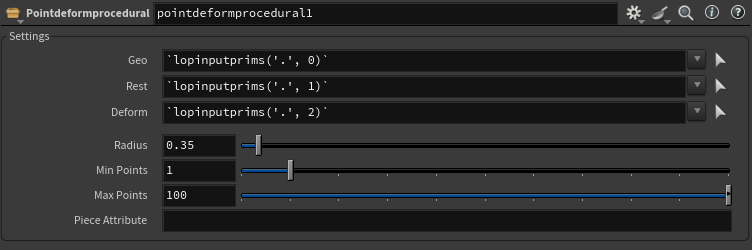
As for the node inside of solaris. I have promoted radius, min and max point count, as well as and option for the piece attribute. I'm also giving the option to select which geometry to perform the operation on, both for the incoming geometry to deform, as well as the rest and guide curves to deform the geometry with.
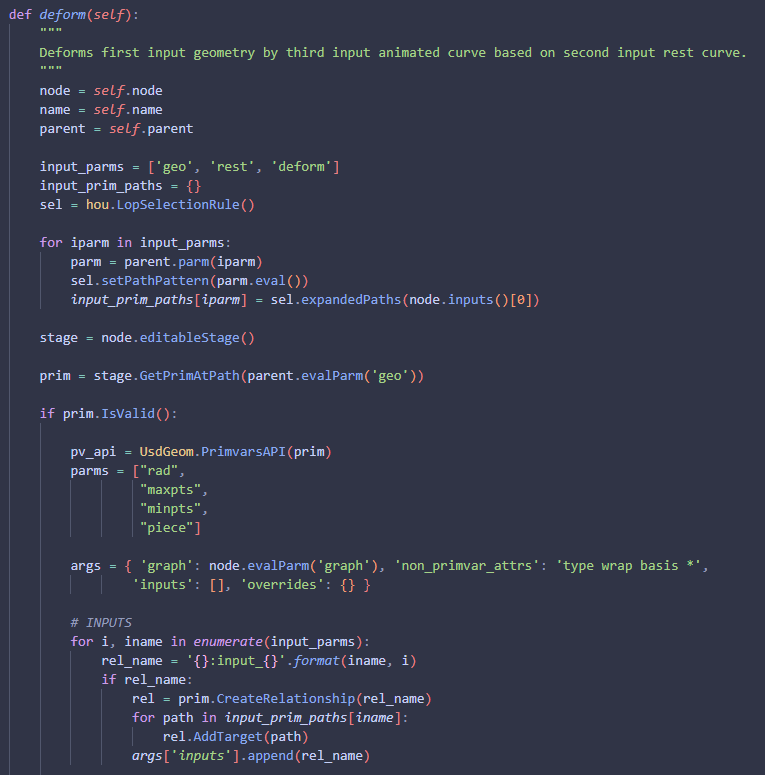
As for the actual code behind creating the procedural. The first thing I'm doing is grabbing the parameters on the point
deform HDA for the incoming geometry, and curves to use, and I expand their paths so I can grab those primitives inside of
usd. I then check if my incoming geometry is a valid primitive, and if so, I get it's primvar api and create a list of parms.
This list is the list of parameters on my point deform node to loop through, and turn into arguments that the compiled node
graph can use at render time.
I also generate a dictionary called args. These args are the dictionary that gets read by the invokegraph.py script that SideFx
has, and includes all the information that gets sent to the compiled node graph at render time. Finally I loop through all the
input parameters I listed before, and create usd relationships on those parameters, before appending them to the inputs list of
the args dictionary.
Once I have the inputs initialised, I setup parameter overrides through the pxr.Usd python api. I loop through the parms in the
list I made before, and if the parm exists, then I get the value of the parm, as well as it's name, and I check the type of value
that is being returned from it. Based on that return type, I create a new primvar and set it's value to the value specified on the
parm before adding it to the overrides nested dictionary inside the args dictionary.
If the parm however is a parmTuple, I loop through and calculate both the number of components that the parameter has, as well as
the type of value those components are. Based on these 2 conditions, I create primvars and set their respective values to the same
as the type and sizes specified before, and again I add these to the overrides dictionary.
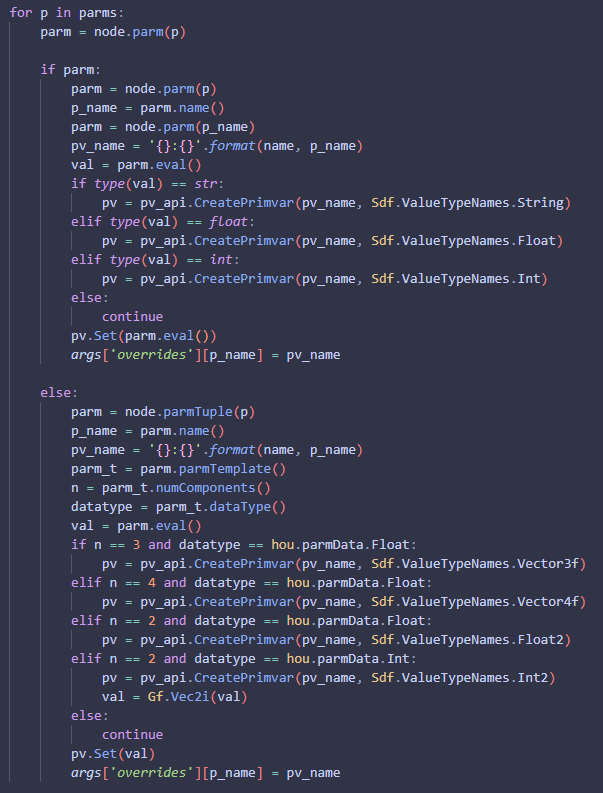
After finally runnning that through SideFx's invokegraph.py script, you can then plug in a preview procedurals node and you'd see
that the point deformation would be working.
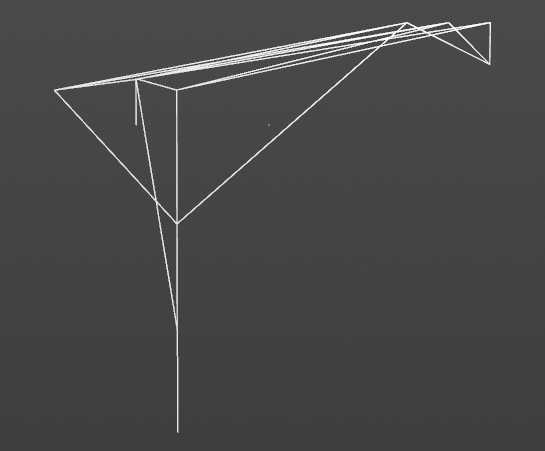
Here is an example of that in action. In my final year university film, we have a shot with a jetpack interacting with grass as the
jetpack takes off from the ground. This was a test scene using the same grass, just blowing in the wind. I imported the static grass,
static curves, and animated curves respectively into solaris, ran them through the point deform procedural, and the result looks exactly
as I had hoped, with the blades of grass being deformed by the animated curves at render time.