


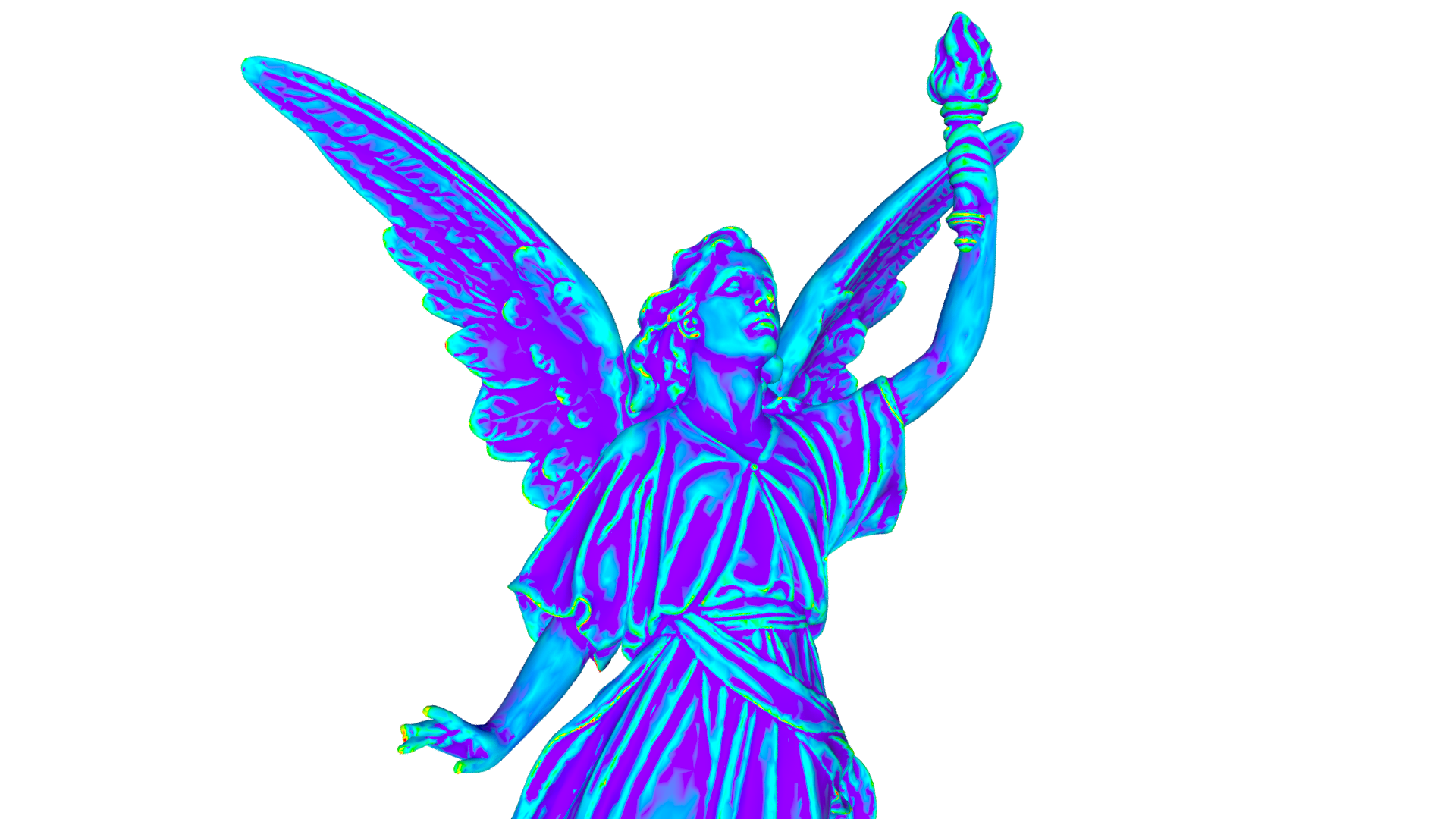
I got the inspiration for this tool from watching Yunus Balcioglu (Animatrix/Pragmatic VEX) on youtube. More
specifically, he had a short explaining the OSD_limit function in VEX, and how you could use some of the return
values from that function to calculate curvature at the OSD limit surface. This function only exists in houdini
21, but I am on 20.5 since that is what my university uses, and so I got to researching on how I could implement
this myself in 20.5.
Just to get some terminology out the way that I will be using throughout this page:
"OSD" refers to open subdiv, an open-source library for calculating subdivision on geometry, originally developed
by pixar, it's now widely implemented in almost all 3D packages today.
"OSD Limit Surface" then is the "Theoretical limit of subdivision", an infinitely smoothed mesh that would be reached
if you subdivided an infinite number of times.
And finally "derivatives", which is the essentially the rate of change of something. An example of this is when an
object changes position, the rate of change is how fast that object moves in a given direction, more commonly known
as velocity.
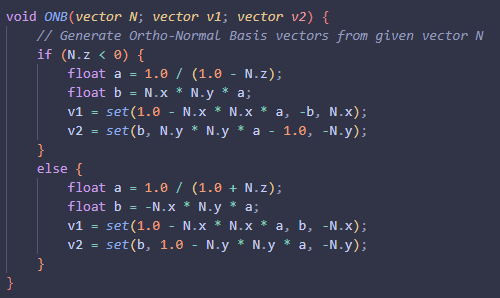
The first step to this was calculating primary derivatives for the position of each point on the given mesh. To do this I need to first calculate 2 vectors orthogonal both to one-another, as well as to the normal vector of the current point. Normally to do this you would take the cross product of the normal vector "N", and a secondary vector "up", usually (0, 1, 0), and then take that result "tangent" and cross tangent with N to get the second orthogonal vector "bitangent". What I chose to do instead was use a function defined in a Pixar technical paper: "Building an Orthonormal Basis, Revisited", which for all intensive purposes does the exact same thing, but it also solves some underlying instability issues with the aforementioned method, especially when the given axis' near -1. These 3 orthogonal vectors are known as ortho-normal basis vectors.
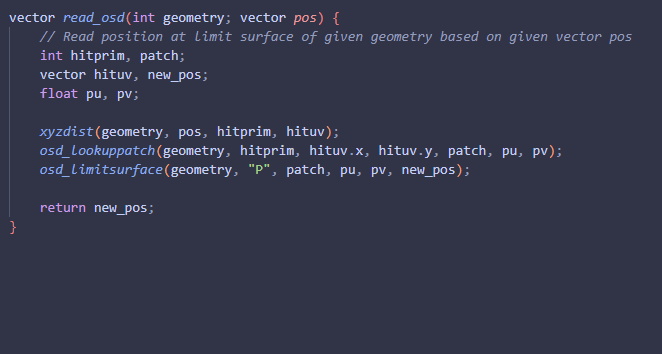
The next thing is reading from the OSD limit surface. Step one is calculating what primitive the given point is nearest to, and what it's
parametric uv coordinates are, so I can then get that position's respective OSD Patch and Patch U and V coordinates. This is done through
the XYZdist function in VEX, returning a hit primitive, and a hit UV coordinate.
Next is finding the corresponding OSD attributes mentioned above, with the OSD_lookupPatch function, taking in the given input geometry,
the primitive to sample, the U and V coordinates to sample from, and returns the Patch ID as well as the patch UV coordinates.
Finally I sample the point position at the OSD limit surface through the aptly named VEX function OSD_limitsurface. This gets returned as
the variable "new_pos" at the end of this function. I wrote this out as wrapper because I found myself using this code a lot.
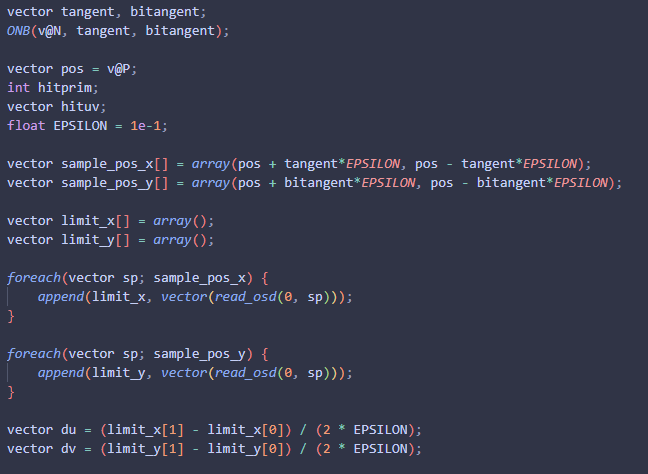
Now to actually calculate the primary derivatives of the point position. First is getting my 3 ortho-normal basis vectors through the function "ONB" that I defined earlier. Then I initialise some variables, the position to sample from, hitprim, hituv, as well as an "EPSILON", which is essentially half of the range I am sampling, I found depending on mesh I need to tweak that value a lot, from 1e-1 all the way to 1e-5. From there I create offsets in positive and negative directions along the tangent and bitangent vectors, and sample the position at those new locations. I then average them out at the end, giving me my primary derivatives "du" and "dv". Fun fact that du and dv are actually vectors facing a similar direction to tangent and bitangent respectively.
Next up is the secondary derivatives. With these we can finally start to calculate the curvature of the mesh. It's very similar to the first derivatives as well, I get a list of the positive and negative vector offsets for tangent and bitangent combined, and then loop through reading all of those OSD limit surface positions. Finally yet again I calculate the average for those positions, and we are given the secondary derivatives "duu", "duv" and "dvv". I also calculate the cross product of du and dv to give the normal vector for the points.
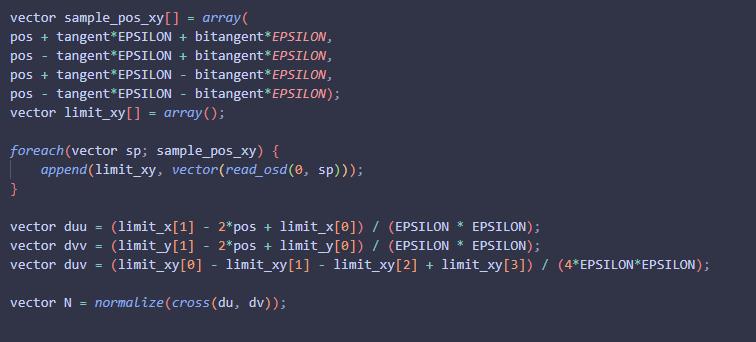
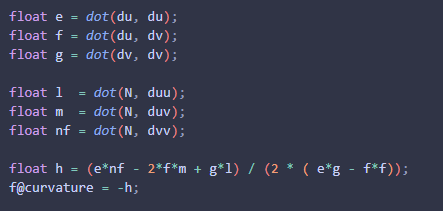
Finally is calculating curvature itself. I first calculate a dot product between du and dv, this in turn gives me the first fundamentals forms, which is the metric of the surface, so from here you can calculate surface area and a few other aspects of the mesh. The next values are the second derivatives dot producted with the normal vector, this gives the second fundamentals. From here you can now calculate the value "h", which is done with the final equation you see here. This is the mean curvature of the mesh at the OSD limit surface.
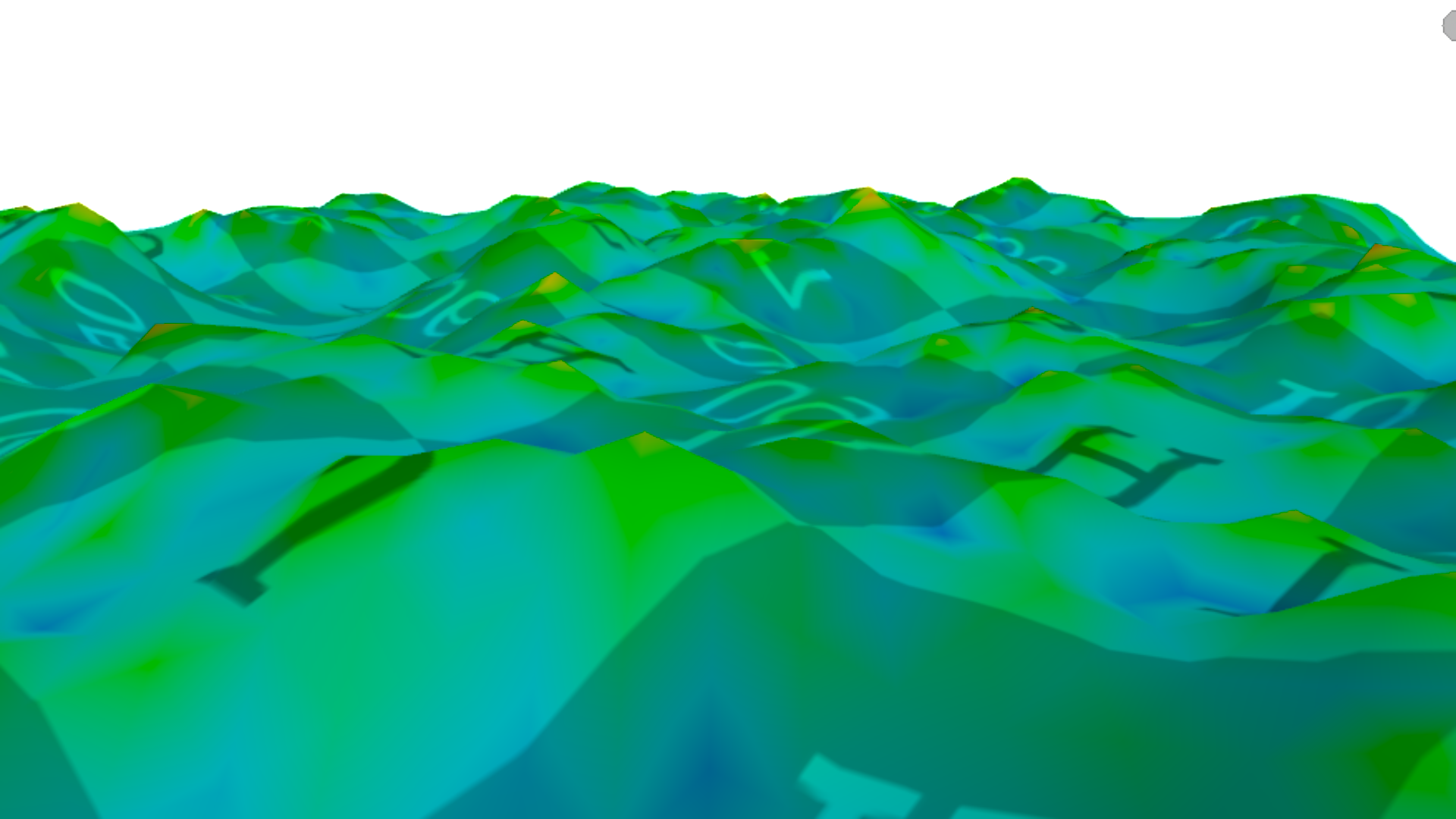
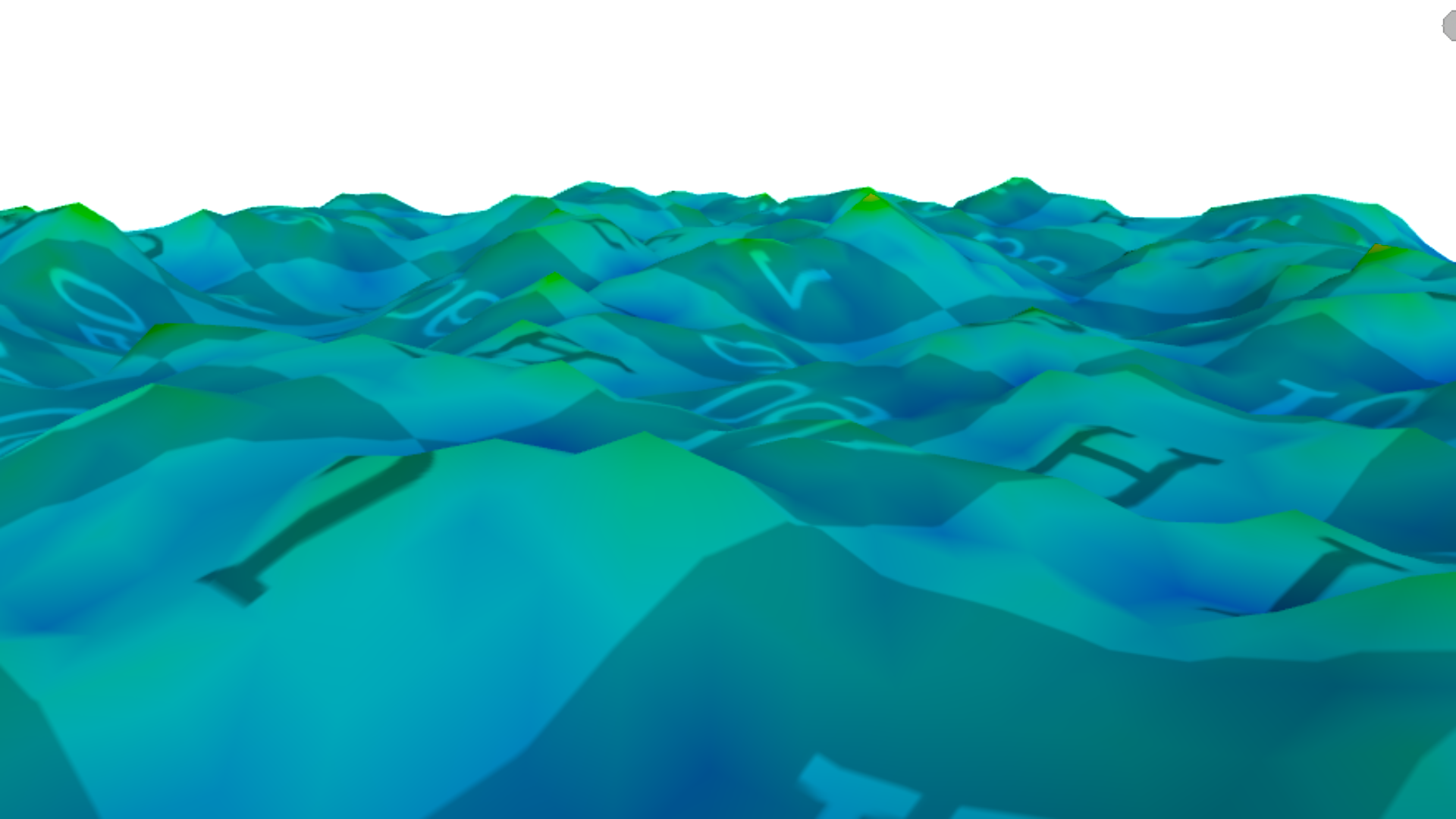
Comparing the results from the mean curvature that is calculated from the measure SOP in Houdini, to this new method of OSD Curvature Sampling,
we see that there is on average a larger amount of detail found especially within the valleys of the curvature. On the left we have the measure
SOP, and on the right is my new implementation, both after normalisation.
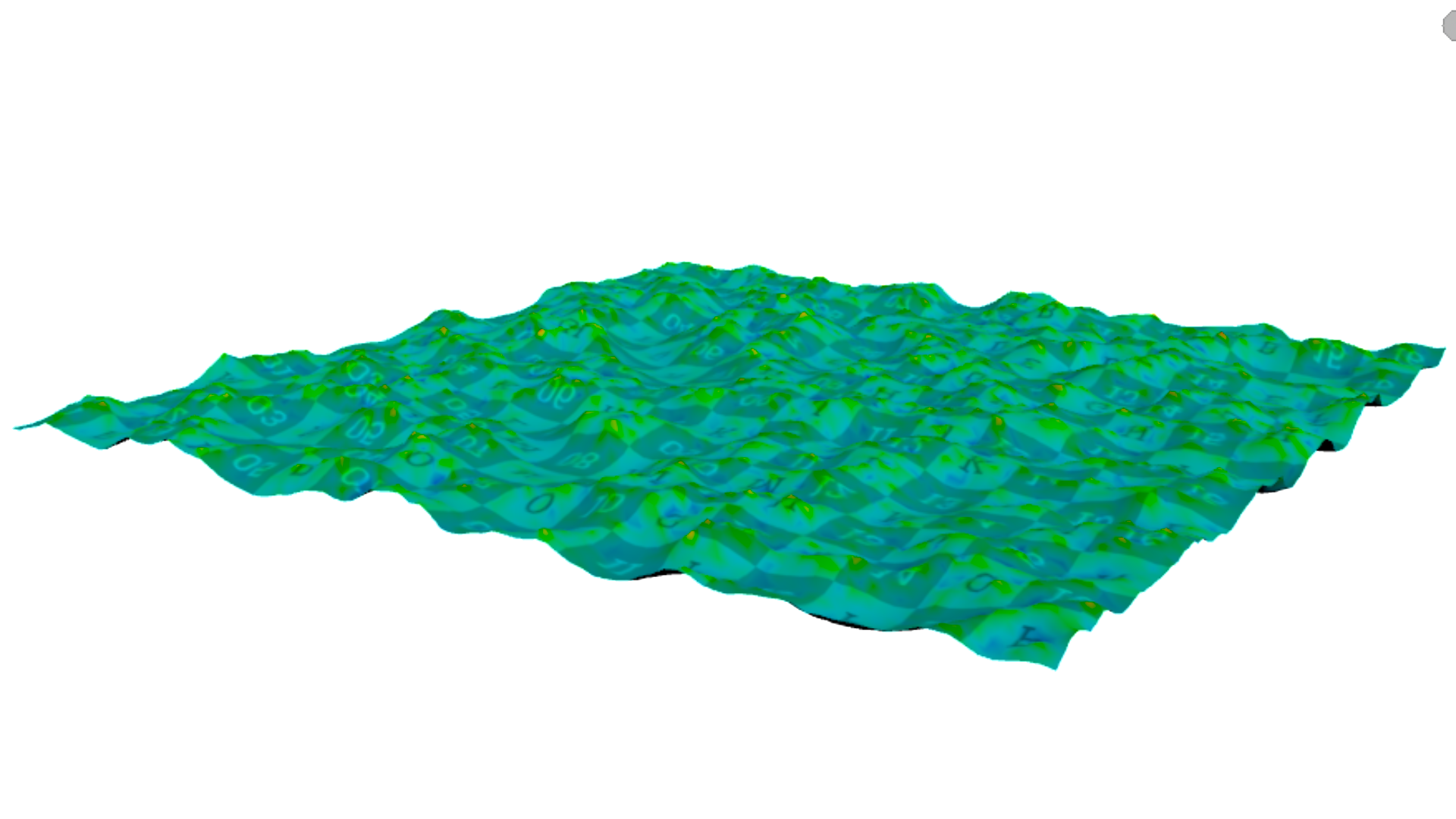
Measure SOP far away
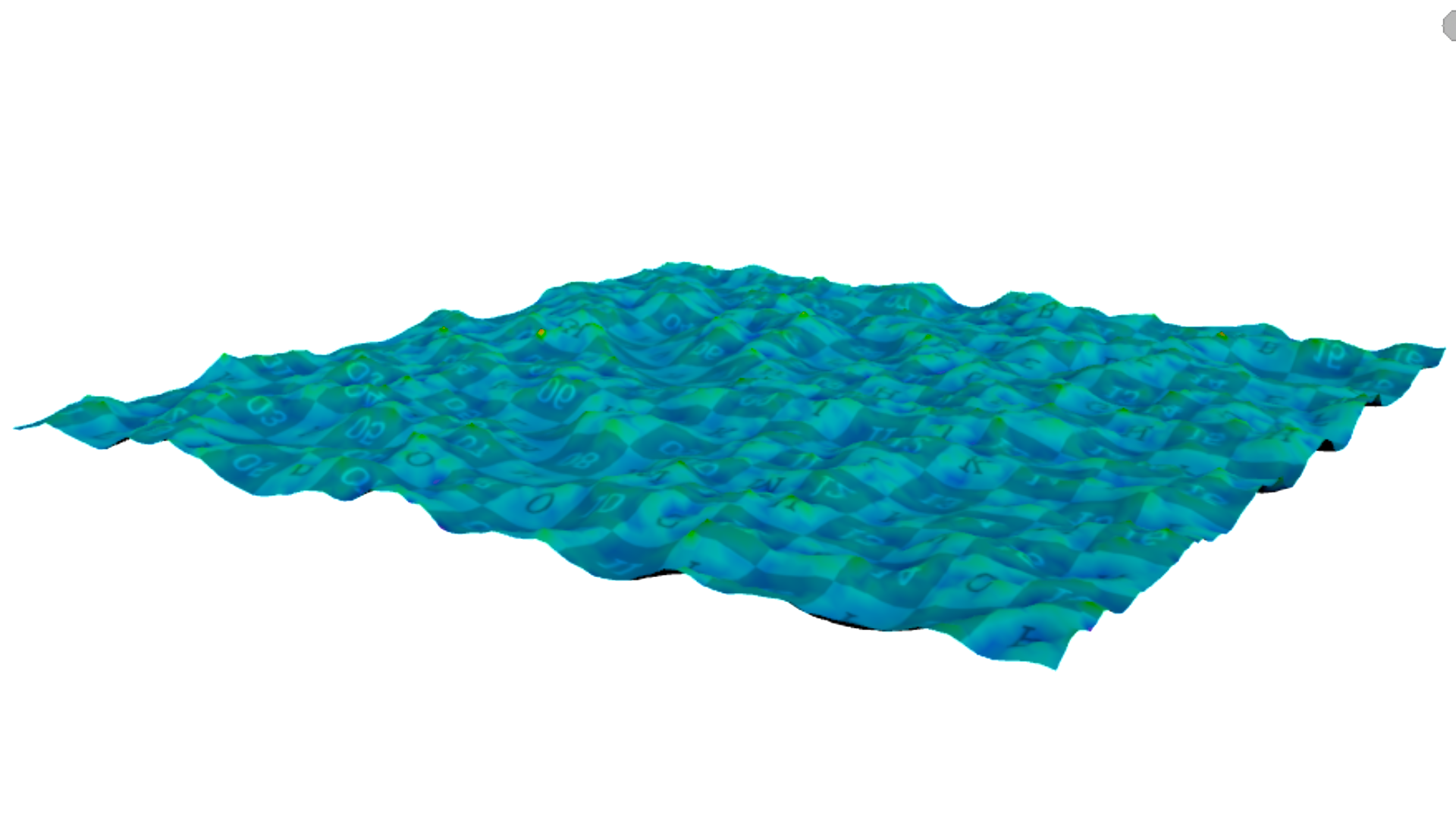
OSD curvature far away
Measure SOP close up
OSD curvature close up